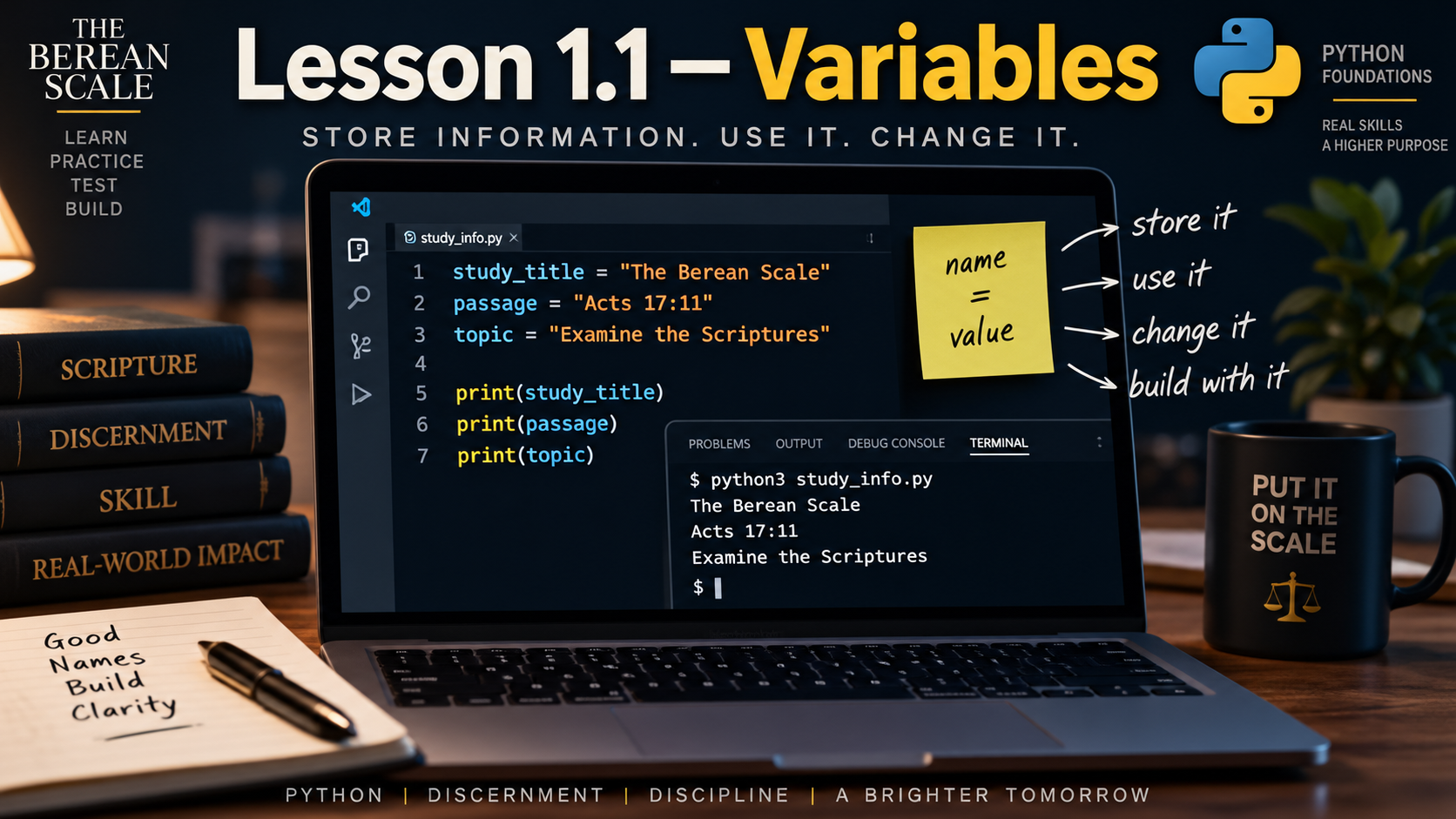
Module: Module 1 — Variables, Data, and Arithmetic
Estimated Time: 30–45 minutes
Prerequisites: Module 0
Learning Goal
By the end of this lesson, you should be able to create variables, store values inside them, use those values in a program, and explain what happens when a variable is reassigned.
1. The Need
In Module 0, you wrote programs like this:
print("The Berean Scale")
print("Acts 17:11")
print("Testing What We Hear")
That works.
But imagine you use:
Acts 17:11in ten different places.
Later, you decide the study should use:
John 8:58Instead of changing the same information over and over, we need a way to give that information a name and reuse it.
Python gives us exactly that tool.
It is called a variable.
2. What Is a Variable?
A variable is a name that refers to a value.
Look at this:
passage = "Acts 17:11"We now have a variable named:
passageand it refers to:
Acts 17:11We can use the variable later:
print(passage)The output is:
Acts 17:11Instead of writing the value directly inside print(), we gave the value a name.
That name can now be used throughout the program.
3. Assignment
Look closely at:
passage = "Acts 17:11"The symbol:
=is called the assignment operator in this context.
It tells Python:
Store this value under this variable name.
You can think of the instruction like this:
passage ← "Acts 17:11"The variable name is on the left.
The value is on the right.
In Python, we write:
passage = "Acts 17:11"Do not think of = here as a math question asking whether two things are equal.
It is an instruction.
Python is assigning a value to a variable.
4. Creating a Variable
Here is another example:
study_title = "The Berean Scale"Now Python knows about a variable named:
study_titleIts value is:
The Berean ScaleWe can display the value:
print(study_title)Output:
The Berean ScaleNotice the difference:
print("study_title")would display:
study_titleBut:
print(study_title)displays the value stored in the variable.
That distinction matters.
5. Variable Names
A variable needs a name.
Good variable names describe what the value represents.
Good:
study_title = "The Berean Scale"
passage = "Acts 17:11"
topic = "Testing What We Hear"
Poor:
x = "The Berean Scale"
a = "Acts 17:11"
thing = "Testing What We Hear"
Python may accept those names, but another programmer would have to guess what they mean.
Prefer names that communicate purpose.
6. Basic Naming Rules
Python variable names have rules.
A variable name may contain:
- Letters
- Numbers
- Underscores
Examples:
study_title
lesson1
module_1
passage_reference
A variable name cannot begin with a number.
This is invalid:
1lessonThis is valid:
lesson1Spaces are also not allowed inside variable names.
This is invalid:
study titleUse an underscore instead:
study_titleFor this course, we will normally use lowercase words separated by underscores.
This style is called snake_case.
Example:
scripture_reference7. Using Multiple Variables
A program can contain many variables.
Example:
study_title = "The Berean Scale"
passage = "Acts 17:11"
topic = "Testing What We Hear"

print(study_title)
print(passage)
print(topic)
Output:
The Berean Scale
Acts 17:11
Testing What We Hear
Each variable has a different purpose.
Instead of scattering values throughout the program, we can give important information meaningful names.
8. Trace the Program
Look at:
book = "John"
topic = "Testing the Text"

print(book)
print(topic)
Trace it one line at a time.
Line 1
book = "John"Python creates the variable:
bookand assigns it the value:
JohnNothing is printed yet.
Line 2
topic = "Testing the Text"Python creates another variable.
Still nothing is printed.
Line 3
print(book)Python looks up the value stored in book.
Output:
JohnLine 4
print(topic)Output:
Testing the TextThe complete output is:
John
Testing the Text
Assignment itself does not automatically display anything.
print() does.
9. Variables Can Change
The word variable gives us a clue.
The value associated with a variable can change.
Look at this:
passage = "Acts 17:11"
print(passage)

passage = "John 8:58"
print(passage)
What happens?
First:
passage = "Acts 17:11"So:
passage → Acts 17:11Then Python prints:
Acts 17:11Later:
passage = "John 8:58"The variable now refers to the new value.
So the second print() displays:
John 8:58The complete output is:
Acts 17:11
John 8:58
This is called reassignment.
10. Reassignment Replaces the Previous Value
Consider:
topic = "Creation"
topic = "Covenant"

print(topic)
What gets printed?
Not:
CreationThe second assignment replaced the first value.
The output is:
CovenantFor this variable, Python now uses the most recently assigned value.
This is an important idea:
A variable’s current value is determined by the most recent assignment that has executed.
11. Predict It
Do not run the code until you predict the result.
Predict It #1
book = "Genesis"

print(book)
What is printed?
Predict It #2
passage = "Genesis 1:1"
passage = "Exodus 3:14"

print(passage)
Which reference appears?
Why?
12. Predict It — One Step Further
Trace this program carefully:
study = "Creation"
print(study)

study = "Exodus"
print(study)

study = "Messiah"
print(study)
Write the exact output before running it.
Then run the program and compare your prediction.
13. Build It — Study Information
Create a new file named:
study_info.pyCreate variables for:
- Study title
- Scripture reference
- Study topic
Use these supplied values:
Study title: The Berean Scale
Scripture reference: Acts 17:11
Study topic: Examine the Scriptures
Then display each variable.
Your Program Is Complete When
It displays:
The Berean Scale
Acts 17:11
Examine the Scriptures
and the displayed values come from variables rather than being written directly inside each print() instruction.
Hint Ladder
Hint 1
Each piece of information needs a descriptive name.
Hint 2
Remember the assignment pattern:
name = valueHint 3
Once a variable exists, you can give its name to print().
Do not look for a completed solution.
Build it yourself.
14. Fix It
A student writes:
passage = "Acts 17:11"

print("passage")
They expected:
Acts 17:11But Python displays:
passageWhy?
Put it on the Scale.
What is the difference between:
print("passage")and:
print(passage)Fix the program.
15. Break It
Start with valid code:
study_title = "The Berean Scale"
print(study_title)
Now change the variable name in the print() instruction so it no longer matches the variable that was created.
For example, make the names different.
Run the program.
Read the error Python gives you.
Then repair the variable name.
The goal is not to memorize the entire error message yet.
The goal is to notice something important:
Python cannot use a variable name that does not exist.
Names must match.
16. Explain It
Answer these questions in your own words.
- What is a variable?
- What does assignment do?
- What does the
=symbol mean when creating a variable? - Why are descriptive variable names useful?
- What happens when a variable is assigned a new value?
- Why does
print("passage")behave differently fromprint(passage)?
Do not memorize a textbook definition.
Explain what you understand.
17. The Narrow Path — Common Mistakes
Putting the variable name inside quotation marks
If you write:
print("topic")Python treats:
topicas text.
If you want Python to use the variable, write:
print(topic)Misspelling the variable name
These are different names:
study_title
study_titel
Python does not know that one was probably a typo.
The names must match exactly.
Using spaces in variable names
This does not work:
study titleUse:
study_titleAssuming assignment prints something
This:
passage = "Acts 17:11"stores a value.
It does not display anything by itself.
To display the value:
print(passage)Thinking reassignment keeps both values
If you write:
topic = "Creation"
topic = "Covenant"
the current value of topic is:
CovenantThe second assignment replaced the earlier value associated with that variable.
18. Check Your Understanding
Answer these without looking back if possible:
- What is a variable?
- What does assignment mean?
- Which side of
=contains the variable name? - Which side contains the value being assigned?
- Can a variable’s value change?
- What is reassignment?
- Why should variable names describe their purpose?
- Why is
study_titlevalid whilestudy titleis not? - What is snake_case?
- What happens if you try to use a variable name that has never been created?
⚖️ Put It on the Scale
Consider this program:
passage = "Genesis 1:1"
topic = "Creation"

print(passage)

passage = "Acts 17:11"

print(topic)
print(passage)
Before running it:
- Identify the first value assigned to
passage. - Identify the value assigned to
topic. - Predict the first line of output.
- Identify when
passagechanges. - Predict the complete output.
- Explain why the final reference differs from the first one.
Then run the program and compare your prediction.
No new concepts are required.
Everything needed was taught in this lesson.
Graduation Standard
Do not move forward until you can create a variable, assign a value to it, use that variable with
print(), reassign it, and explain what value the variable currently holds.
You now know how to give information meaningful names inside a Python program.
Next, we will examine one of the most important kinds of information Python can store:
strings.