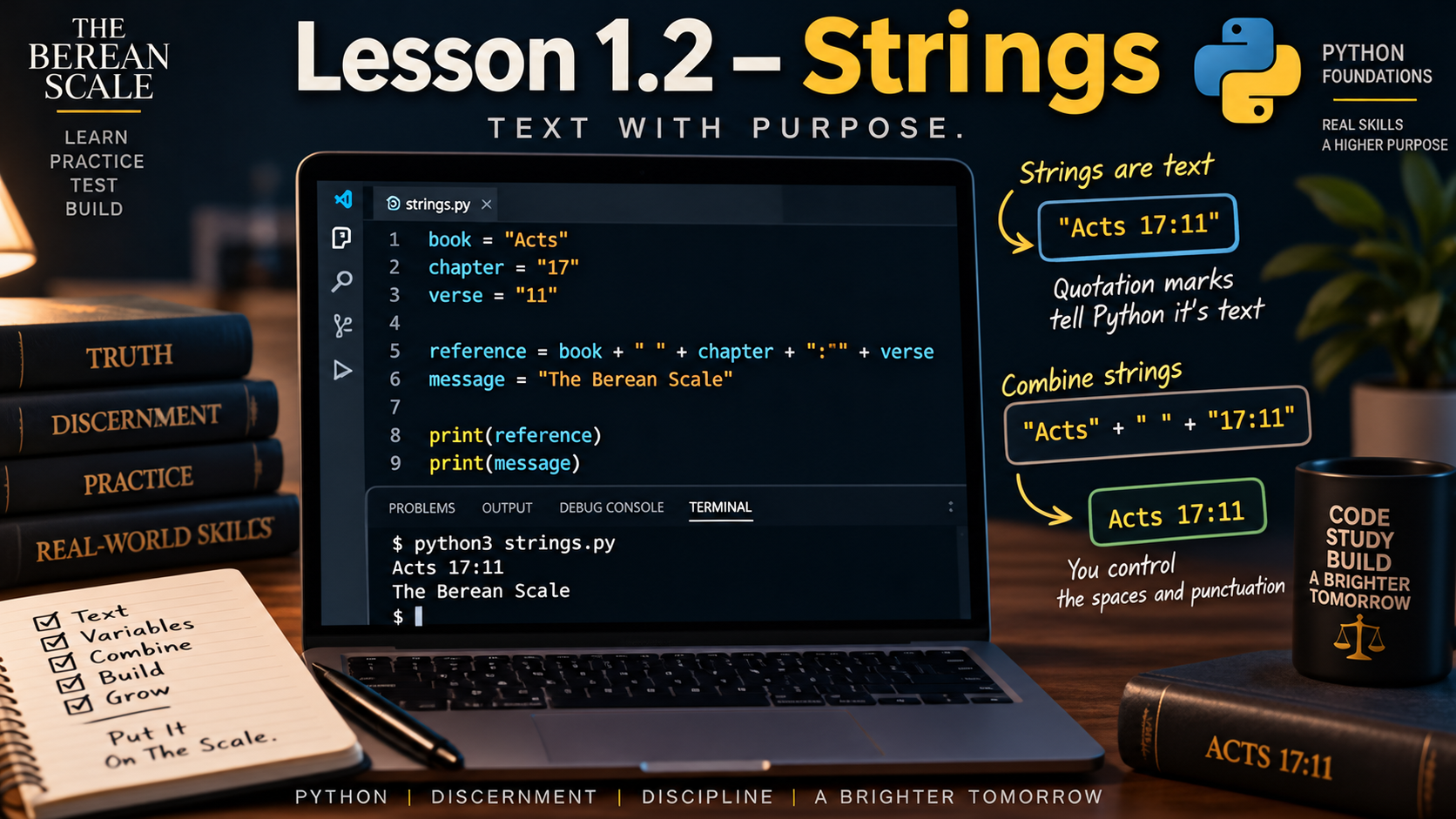
Module: Module 1 — Variables, Data, and Arithmetic
Estimated Time: 30–45 minutes
Prerequisites: Lesson 1.1 — Variables
Learning Goal
By the end of this lesson, you should be able to recognize strings, create string values, store them in variables, combine strings, and explain why quotation marks matter.
1. The Need
In the previous lesson, you created variables like this:
passage = "Acts 17:11"
topic = "Examine the Scriptures"
You learned that passage and topic are variables.
But what exactly are the values:
Acts 17:11and:
Examine the Scripturesto Python?
They are both pieces of text.
Python needs a way to distinguish text from other kinds of information.
That type of text data is called a string.
2. What Is a String?
A string is a sequence of characters used to represent text.
Examples of strings:
"The Berean Scale""Acts 17:11""Genesis""Module 1"A string can contain:
- Letters
- Numbers
- Spaces
- Punctuation
- Symbols
The important part is that Python recognizes the value as text.
Strings are surrounded by quotation marks.
3. Quotation Marks Tell Python This Is Text
Look at:
book = "Genesis"The quotation marks around:
Genesistell Python:
Treat this as text.
Without quotation marks:
book = GenesisPython would not automatically know that Genesis is supposed to be text.
It would treat Genesis as a name in the program.
Unless that name already exists, the program would fail.
Compare:
book = "Genesis"
print(book)
with:
book = Genesis
print(book)
The first version contains a string.
The second version does not tell Python that Genesis is text.
Quotation marks matter.
4. Strings Inside Variables
Strings can be assigned to variables just like you learned in Lesson 1.1.
Example:
study_title = "The Berean Scale"
passage = "Acts 17:11"
topic = "Examine the Scriptures"
Now each variable refers to a string.
We can display them:
print(study_title)
print(passage)
print(topic)
Output:
The Berean Scale
Acts 17:11
Examine the Scriptures
The variables are names.
The strings are the values.
5. Single Quotes and Double Quotes
Python allows strings to be written with either double quotation marks:
"Genesis"or single quotation marks:
'Genesis'Both are strings.
These are both valid:
book = "Genesis"book = 'Genesis'For this course, we will usually use double quotation marks because they are easy to recognize.
The important rule is consistency.
If a string begins with one kind of quotation mark, it should normally end with the same kind.
6. Why Having Two Quote Styles Is Useful
Suppose we want this text:
Yeshua said, "Follow me."One way to write it is:
message = 'Yeshua said, "Follow me."'The outer string uses single quotes.
The quotation marks inside the sentence can remain double quotes.
That makes the structure easier to read.
You do not need to master every quotation rule yet.
For now, understand this:
Python supports both single and double quotes for strings.
7. Numbers Can Appear Inside Strings
Consider:
reference = "John 8:58"The characters:
8and:
58look like numbers.
But the entire value is inside quotation marks.
So Python treats the entire thing as text.
This:
reference = "John 8:58"is a string.
This:
chapter = 8is not a string.
We will study numeric data properly in the next lesson.
For now, remember:
Quotation marks can change how Python interprets a value.
8. Empty Strings
A string can contain no visible characters at all.
Example:
note = ""This is called an empty string.
The variable exists.
The value is still a string.
It simply contains no characters.
If we write:
print(note)Python prints an empty line.
Empty strings become useful later when programs collect or build text.
9. Combining Strings
Sometimes we want to join two strings together.
Python can do this using:
+For strings, + joins text together.
Example:
book = "John"
reference = "8:58"

full_reference = book + reference

print(full_reference)
What do you think the output is?
It is:
John8:58Python joined the strings exactly as written.
It did not automatically add a space.
10. Spaces Are Characters Too
If we want:
John 8:58we need to include the space ourselves.
Example:
book = "John"
reference = "8:58"

full_reference = book + " " + reference

print(full_reference)
Output:
John 8:58The string:
" "contains one space.
That space is part of the final string.
This is an important lesson:
Python does not add formatting that you did not ask for.
11. String Concatenation
Joining strings together with + is called concatenation.
Example:
study = "Study: "
passage = "Acts 17:11"

heading = study + passage

print(heading)
Output:
Study: Acts 17:11Here:
studycontains:
Study:including the space after the colon.
Python combines the two strings exactly.
12. Trace the Program
Look at:
book = "Exodus"
chapter = "3"
verse = "14"

reference = book + " " + chapter + ":" + verse

print(reference)
Trace it carefully.
Step 1
book = "Exodus"The variable book refers to:
ExodusStep 2
chapter = "3"The variable chapter refers to the string:
3Step 3
verse = "14"The variable verse refers to:
14Step 4
Python combines:
Exoduswith:
then:
3then:
:then:
14The final value is:
Exodus 3:14So:
print(reference)displays:
Exodus 3:1413. Predict It
Do not run the code yet.
Predict the result first.
Predict It #1
book = "Genesis"
chapter = "1"

print(book + chapter)
What is the exact output?
Be careful about spaces.
Predict It #2
book = "Genesis"
chapter = "1"

print(book + " " + chapter)
How is this output different from Predict It #1?
14. Predict It — Quotation Marks
Consider:
topic = "Creation"

print("topic")
print(topic)
Predict both lines of output.
Why are they different?
Then run the code and compare your answer.
15. Build It — Scripture Reference Builder
Create a new file named:
reference_builder.pyUse these supplied values:
Book: Acts
Chapter: 17
Verse: 11
Store each piece as a string.
Then combine them into one variable that contains:
Acts 17:11Finally, print the completed reference.
Your Program Is Complete When
The terminal displays exactly:
Acts 17:11Your program must:
- Store the book in a variable
- Store the chapter in a variable
- Store the verse in a variable
- Combine those values into another variable
- Include the correct space
- Include the colon
- Print the completed reference
Do not write:
print("Acts 17:11")The goal is to practice building the string from smaller pieces.
Hint Ladder
Hint 1
Which character needs to appear between the book and chapter?
Hint 2
Which character needs to appear between the chapter and verse?
Hint 3
Remember that strings can be joined using:
+and punctuation can also be stored directly inside a string.
16. Fix It
A student wants this output:
John 8:58Their program is:
book = "John"
chapter = "8"
verse = "58"

reference = book + chapter + verse

print(reference)
But the output is:
John858The values are present.
The formatting is wrong.
Ask:
- What characters are missing?
- Where should they appear?
Fix the program.
17. Break It
Start with:
book = "John"
print(book)
Now remove the quotation marks around:
JohnRun the program.
Read the error.
Then restore the quotation marks and run it again.
What changed?
The purpose of this exercise is to reinforce that quotation marks tell Python that a value is text.
18. Explain It
Answer these in your own words:
- What is a string?
- Why are quotation marks important?
- Can numbers appear inside a string?
- What does concatenation mean?
- What does
+do when used between strings? - Why does Python not automatically add spaces when joining strings?
- What is an empty string?
- What is the difference between
print("book")andprint(book)?
19. The Narrow Path — Common Mistakes
Forgetting quotation marks
This:
book = Genesisdoes not tell Python that Genesis is text.
Use:
book = "Genesis"Mixing quotation marks incorrectly
Starting with one quote and ending with another can create invalid syntax.
Be consistent.
Forgetting spaces during concatenation
This:
book + chapterdoes not automatically create:
John 8It produces:
John8If you want a space, include one.
Putting variable names inside quotes
This:
print("book")prints the word:
bookThis:
print(book)prints the value stored in the variable.
Assuming text that looks numeric behaves like a number
This:
chapter = "8"stores text.
The quotation marks matter.
In the next lesson, we will begin working with actual numbers.
20. Check Your Understanding
Answer these without looking back if possible:
- What is a string?
- What symbols normally surround a Python string?
- Can Python strings contain spaces?
- Can Python strings contain numbers?
- Is
"58"the same kind of value as58? - What is an empty string?
- What does concatenation mean?
- What operator can join strings?
- Why does
"John" + "8:58"produceJohn8:58? - How would you make sure a space appears between two combined strings?
Graduation Standard
Do not move forward until you can create string values, store them in variables, distinguish quoted text from variable names, combine strings with
+, and control the spaces and punctuation in the final result.
You now understand Python’s basic representation of text.
Next, we will work with another major kind of information:
numbers.
You will learn how Python performs arithmetic and why numbers behave differently from strings.